How to install the scripts
From download to the first Start in a few minutes.
Download the updater
Download Updater.exe and put it in a folder of its own, e.g. C:\AdrenalineScript.
Pick a script and press Download
It goes to a folder with its name next to the updater. Run the updater again any time: it only downloads what changed.
Load it in Adrenaline
In Adrenaline go to the Script tab, open the script's .bin from its folder and start it. Its settings window opens.
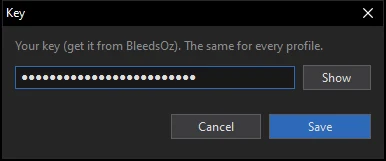
Enter your key
Press Start: the first time it asks for your key (or press Key…). It is saved in key.txt, the same for every window.
Settings and Start
Fill in the settings (hover the ⓘ next to a field for help), save a profile and press Start. Close the window and the script keeps running.
More windows
Load the same script in another Adrenaline window, choose another profile (or make a new one) and press Start. Every window remembers its own profile.
Get your key
One key works on one PC, for every game window on it. Monthly or lifetime. Write to us on Discord and you can start today.